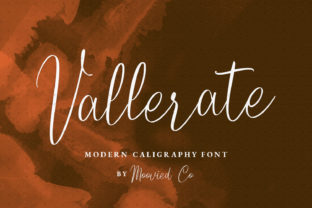
Rosela: A Friendly Handwritten Font with Playful Swashes
Rosela is a casual handwritten script that feels like a warm conversation on paper. Its rounded letterforms, natural slant, and soft edges give it an incredibly approachable personality. What truly sets it apart are the gorgeous swashes and smooth ligatures tucked into its character set — small details that can turn ordinary text into something that looks thoughtfully hand-lettered. Whether you need a font for a quick social media post, a wedding invitation suite, or a DIY mug design, Rosela's versatility makes it a go-to choice for anyone wanting to add a personal, cheerful touch without the steep learning curve of traditional calligraphy.
But a font is rarely one-size-fits-all. The way a hobbyist sees Rosela might differ significantly from how a small business owner or a professional designer evaluates it. Understanding those different perspectives helps you decide if this playful script matches your own goals, skill level, and project demands.
Why Rosela Stands Out in a Sea of Script Fonts
Plenty of fonts claim to be “friendly,” but Rosela delivers that warmth through deliberate design choices. The letters connect organically, mimicking the rhythm of real handwriting. The ligatures — where certain letter pairs flow into a single graceful stroke — prevent the text from looking stiff or mechanical. Meanwhile, the swashes — those charming entry and exit strokes — give you creative freedom to embellish headlines, signature lines, or short phrases without needing a separate set of ornaments. You can dial up the playfulness with exaggerated swash alternates or keep things simpler for secondary text, which makes the font surprisingly flexible for a casual script.
Because it's a fully functional digital font rather than a static image, you can type out any word and see those connections happen automatically. That immediacy matters to people who want fast, beautiful results without wrestling with pen pressure or letter spacing.
Who Cares About a Casual Handwritten Font — and Why
Different audiences walk into the world of script fonts carrying different expectations. Recognizing where you fit helps you weigh what Rosela offers against what you actually need.
Beginners and hobbyists often seek fonts that work right out of the box. They might not know what a ligature is, but they notice when text looks “cute” or “friendly.” For this group, Rosela's appeal lies in ease of use and instant charm. You install the font, type a short phrase, and suddenly a simple “thank you” tag looks like a handcrafted detail. There's no complex design software required, and the learning value is in seeing how small typographic choices — like switching on swashes or trying different letter pairs — elevate an ordinary project. A parent making birthday banner letters or a scrapbooker adding captions can get that handmade feel without hours of practice.
Content creators, bloggers, and marketers often balance speed with visual consistency. They need fonts that maintain a recognizable brand voice across Instagram stories, Pinterest pins, or email headers. Rosela's friendly feel fits lifestyle, parenting, food, and wellness niches particularly well. Its swashes can make a quote graphic feel more editorial, while its ligatures keep the signature line of a weekly newsletter looking polished yet personal. For someone churning out multiple graphics a week, the font saves the step of hand-lettering while still communicating warmth — a quality that boosts engagement when audiences crave human connection behind the screen.
Small business owners and freelancers look at a font through a cost-versus-commercial-value lens. They might ask: “Can I use this on product packaging, my website logo, or client deliverables without breaking a license?” Rosela's commercial usability makes it attractive for bakeries needing cupcake topper text, calligraphers offering digital prints, or stationery designers creating semi-custom invitation suites. The swashes add a premium feel that customers associate with bespoke work, even if the underlying font is accessible. A photographer offering print albums, for instance, can use Rosela's graceful alternates on cover titles to suggest a high-end, yet approachable, storytelling style.
Educators and publishers often think about readability and inclusivity. A heavily swash-laden font won't work for long body text, but Rosela shines in headings, activity sheets, or classroom decor. Teachers creating phonics cards or sight word posters might appreciate how the ligatures demonstrate letter connections naturally, without confusing young readers. Similarly, publishers of children's books or event planners designing family-friendly materials can use the font to reinforce a tone of warmth and creativity without sacrificing legibility. They'll likely test it at different sizes against accessibility guidelines, noticing that while swashes add ornamental value, they should be used sparingly in educational contexts where clarity is paramount.
Different Goals, Different Ways to Evaluate Rosela
Not everyone judges a font on the same criteria. Here are a few lenses through which you might assess whether Rosela fits your next project:
- Ease of use and speed: For someone making last-minute party labels or a social media graphic on a deadline, the priority is how quickly the font gives a polished result. Rosela scores high here because its automatic ligatures mean you don't have to finesse each connection manually.
- Quality and presentation: A designer creating a brand identity or wedding stationery suite cares deeply about letterform refinement. They'll examine how swashes behave at large display sizes, whether the baseline stays consistent, and if the artistic personality aligns with the overall aesthetic. Rosela's crisp execution makes it viable even for semi-luxury applications when paired with elegant color palettes.
- Flexibility and creative range: Experimenters love fonts that feel like multiple tools in one. Rosela's alternate characters — accessed through a glyph panel in software like Adobe Illustrator or even some word processors — allow you to vary the look from simple and clean to flourishes-forward. This matters to crafters who use a single font across stickers, mugs, and apparel but want each product to feel a little distinct.
- Cost and long-term usefulness: Hobbyists may budget carefully, weighing whether a font purchase will serve multiple projects for years. Rosela’s broad utility — from paper crafts to digital products — often justifies a modest one-time investment. Professionals factor in licensing terms and consider whether the font can appear on printed merchandise or client websites without additional fees.
- Commercial and branding value: Entrepreneurs think about recognition. A bakery that uses Rosela's distinctive “hello” swash on its storefront sign builds a visual cue customers remember. Unlike generic sans-serifs, the font carries an emotional signature that can be a competitive edge in crowded markets where warmth differentiates.
Practical Scenarios Across Experience Levels
Let's ground these ideas in real-world uses. A young couple DIY-ing their wedding invitations might be beginners to design software but not to taste. They download a free trial of a design app, install Rosela, and immediately see their names transformed by the swashes. They experiment with uppercase swash alternates for the main heading and let the ligatures handle the smaller details. The process feels less like graphic design and more like decorating — exactly the emotional experience they hoped for.
A freelance social media manager juggling five clients uses Rosela to create cohesive “Motivation Monday” templates. The font's consistent rhythm and friendly weight help maintain visual unity across different brands targeting similar audiences. Templates speed up their workflow, and the swashes add just enough customization so each client’s content feels exclusive. They value reliability — the font renders smoothly on web-safe platforms and doesn't throw unexpected spacing errors when exported as an image.
An experienced stationery designer evaluating Rosela for a new product line will scrutinize its construction thoroughly. They’ll test it alongside other semi-connected scripts, checking how it handles frequently used letter combinations for names and dates. The ligatures forming “th,” “ly,” and “er” might seal the deal because those pairs appear constantly in invitation wording. They’ll also assess opentype features to ensure the swashes don't overlap in tight layouts. For them, Rosela isn't just a cute font; it's a professional tool that must integrate into complex, multi-layered designs without breaking.
Matching Rosela to Your Personal Style and Project Needs
Before you hit download or purchase, a short self-check can clarify whether Rosela aligns with your goals. Ask yourself what feeling you want to communicate. If you're aiming for playful, tender, genuine, or whimsical, this font speaks that language fluently. If your project needs severe formality or ultra-minimalist precision, a different type family might pair better.
Think about the medium, too. Rosela excels in short bursts of text — headlines, names, quotes, labels, and small blocks where its character can breathe. On screen, its personality translates instantly to Instagram feeds and websites. In print, it brings a tactile, crafty vibe to cardstock, stickers, or fabric transfers. However, for dense paragraphs or long reading experiences, a simpler companion sans-serif or serif will prevent visual fatigue.
Also consider your own comfort level with font technology. Most beginners can install Rosela and start typing beautiful titles immediately because standard ligatures turn on by default in most design tools. Accessing the full swash alternates might require a few extra clicks in a glyphs panel, but even without those, the base font is charming on its own. Many users discover hidden characters over time, which adds an element of learning and discovery that keeps the font feeling fresh project after project.
When Rosela Becomes More Than a Font
For a lot of people, using a handwritten font like Rosela isn't just about aesthetics — it's about capturing a sense of making, even when working digitally. A teacher printing classroom labels or a business owner personalizing thank-you notes may not have the time (or the penmanship) to hand-letter everything. Rosela bridges that gap, preserving the imperfections and warmth of human handwriting while offering the convenience of a keyboard. That small emotional connection can make mundane communications feel like gifts.
The versatility also encourages experimentation. A hobbyist might start by using Rosela for greeting cards, then realize it works beautifully for heat-transfer vinyl projects, and later incorporate it into a small side business selling custom tote bags. The font grows alongside your skills and ambitions, making it a companion rather than a one-time-use asset. That long-term usefulness is something both cautious beginners and strategic professionals can appreciate.
Ultimately, Rosela earns its place in a creative toolkit not because it tries to do everything, but because it does one thing exceptionally well: it adds soul to the written word. Whether that soul appears on a bakery logo, a kindergarten worksheet, or a heartfelt Instagram story, the effect is remarkably consistent — it makes people smile. And in a world full of messaging, that gentle emotional pull is a quiet superpower.